Battery Saver Shortcut – Fastest Way to Access Battery Saver on Android
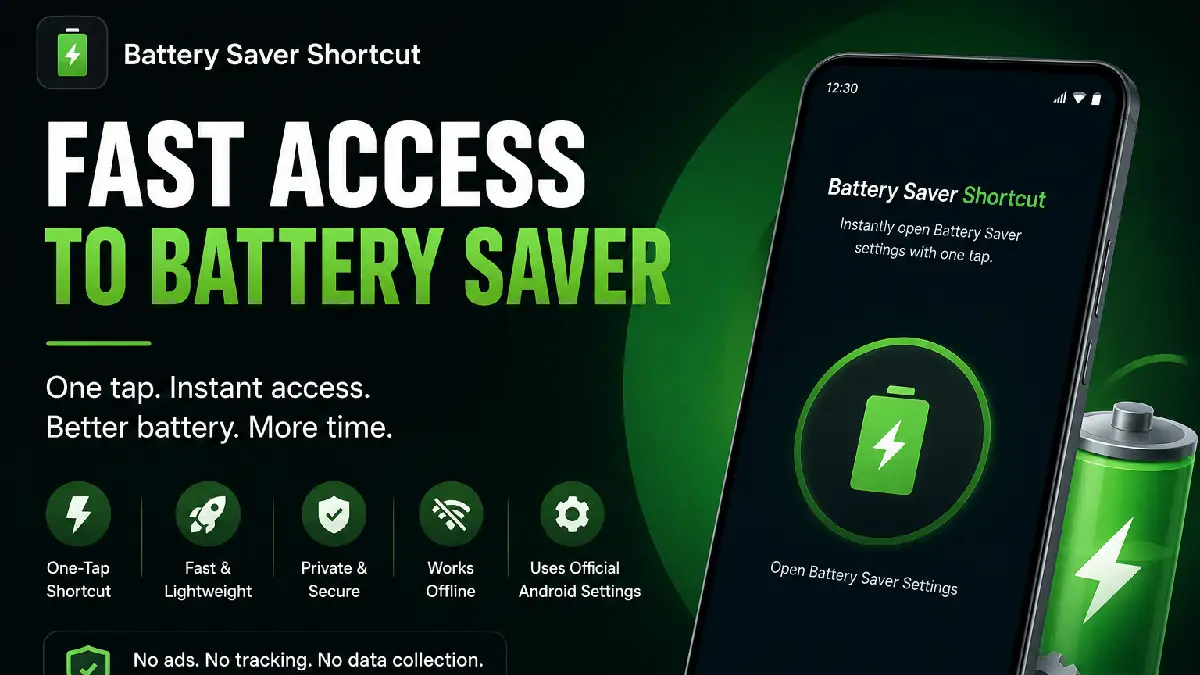
If you frequently use Battery Saver on your Android phone, opening it through multiple settings menus can become frustrating. That’s where Battery Saver Shortcut helps.
This lightweight Android utility app gives you instant access to your device’s Battery Saver settings with just one tap. No complicated setup, no unnecessary features — simply fast access when you need it most.
Download Battery Saver Shortcut from Google Play
What Is Battery Saver Shortcut?
Battery Saver Shortcut is a simple Android utility app designed to open your phone’s official Battery Saver settings instantly.
Instead of navigating through:
Settings → Battery → Battery Saver
you can open the settings screen directly from a single shortcut.
The app is ideal for users who regularly enable or disable Battery Saver mode to extend battery life during travel, work, gaming, or low-battery situations.
Why Use Battery Saver Shortcut?
Modern Android devices include Battery Saver features, but accessing them often takes several steps.
This app solves that problem by offering:
- One-tap access to Battery Saver settings
- Faster battery management
- A lightweight experience without clutter
- Offline functionality
- No ads or distractions
Whether you’re trying to save battery during the day or quickly reduce background activity, instant access makes the process much easier.
Key Features of Battery Saver Shortcut
⚡ Instant Access to Battery Saver
Open your device’s Battery Saver settings immediately without searching through menus.
🚀 Lightweight & Fast
The app is designed to be minimal and responsive, using very little storage and memory.
🔒 Privacy Focused
No tracking, no login system, and no unnecessary permissions.
📱 Works Offline
Everything runs directly on your device without requiring internet access.
✅ Uses Official Android Settings
The app does not modify your system automatically. It simply opens the official Android Battery Saver screen safely.
How Battery Saver Shortcut Works
Using the app is extremely simple:
- Open the app
- Tap the shortcut button
- Instantly access Battery Saver settings
- Turn Battery Saver ON or OFF manually
You remain fully in control of your device settings at all times.
Who Should Use This App?
Battery Saver Shortcut is perfect for:
- Android users who frequently use Battery Saver
- People who want faster access to battery settings
- Users with older phones looking to improve battery efficiency
- Minimalists who prefer clean utility apps
- Anyone wanting a quicker Android settings shortcut
Does the App Automatically Enable Battery Saver?
No.
This app does not automatically turn Battery Saver ON or OFF.
It simply opens the official Android settings screen where you can manage Battery Saver manually. This keeps the app safe, simple, and fully transparent.
Privacy & Security
Privacy is one of the biggest advantages of Battery Saver Shortcut.
The app:
- Does not collect personal data
- Does not track users
- Does not require account creation
- Does not store information
Everything runs locally on your Android device.
Why Minimal Utility Apps Matter
Many utility apps today are overloaded with ads, background services, and unnecessary features.
Battery Saver Shortcut focuses on doing one thing well:
providing fast access to Battery Saver settings.
That simplicity results in:
- Better performance
- Faster launch times
- Lower battery usage
- Cleaner user experience
Final Thoughts
If you regularly manage battery usage on your Android device, Battery Saver Shortcut offers a fast and convenient solution.
With its lightweight design, privacy-friendly approach, and one-tap functionality, it’s a practical tool for anyone who wants quicker access to Battery Saver settings without unnecessary complexity.
Download Battery Saver Shortcut from Google Play



The information provided in this article is for general informational and educational purposes only. It is not intended as legal, financial, medical, or professional advice. Readers should not rely solely on the content of this article and are encouraged to seek professional advice tailored to their specific circumstances. We disclaim any liability for any loss or damage arising directly or indirectly from the use of, or reliance on, the information presented.